
Why Power Query Belongs in a Dataflow
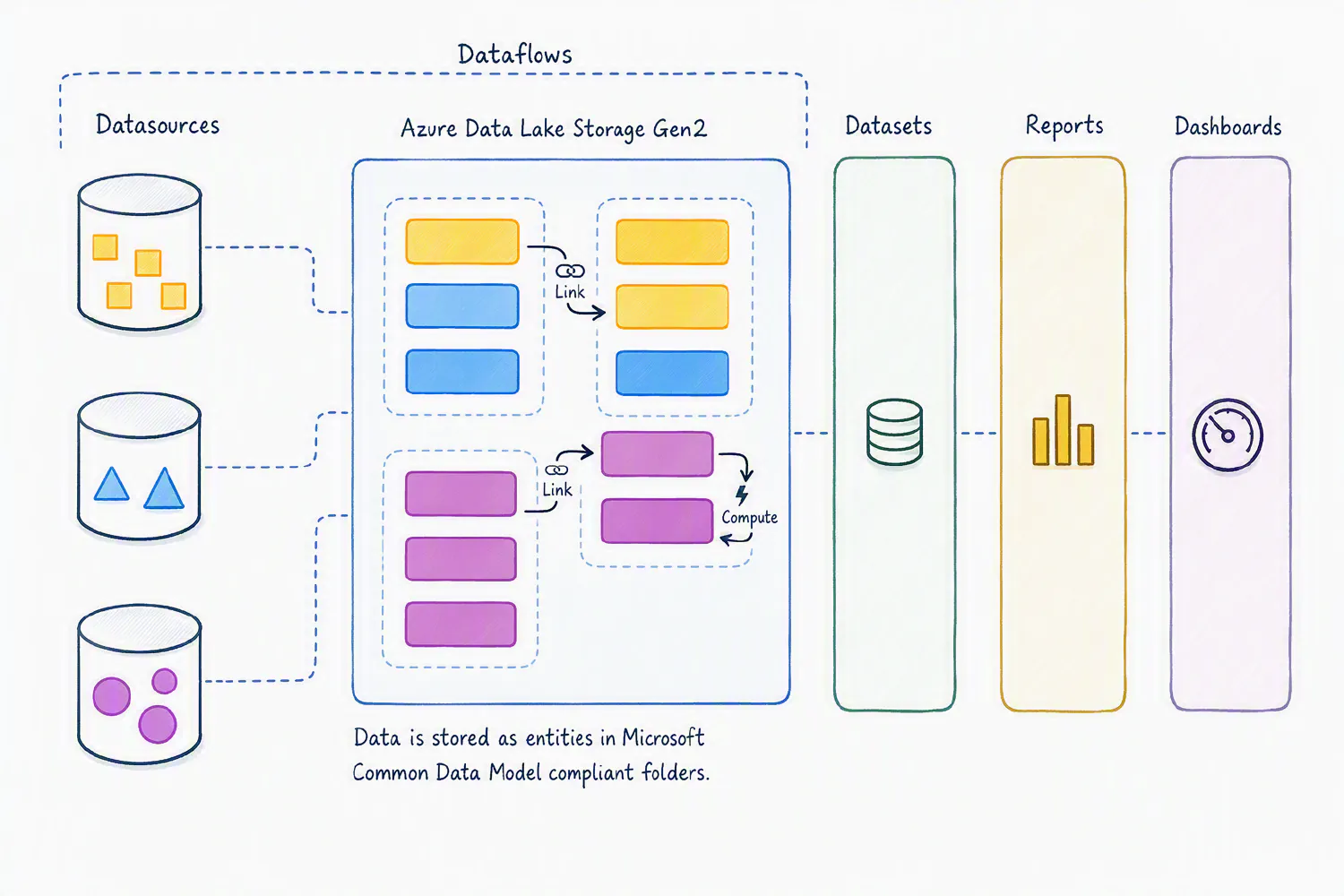
There is a point in every Power BI environment when copying Power Query queries from one report to another stops being convenient. At the beginning, it feels harmless. You build the transformation, get the data ready, publish the report, and move on. Then another report needs the same data, so you copy the queries. A few more reports later, the same ETL logic is living in several different places, and nobody is quite sure which version is the one that should be trusted.
This is where Dataflows become useful. Not because Power Query suddenly becomes something different, but because the preparation work no longer has to belong to a single Power BI file.
Move the preparation out of the report
Power Query is very good at connecting to sources, cleaning data, combining tables, changing types, and applying business rules. The issue is often not how the transformation is built, but where it is maintained. When the same queries are copied into multiple reports, every report effectively owns its own version of the ETL. If a transformation changes, that change has to be repeated everywhere. And as the number of reports grows, so does the opportunity for small differences to creep in.
A Dataflow gives that preparation logic its own home. The source data can be brought in, transformed, and made available for other models to consume. Instead of rebuilding the same process inside every report, the transformation becomes something that can be reused.
That is particularly valuable when several reports depend on the same business logic. If the definition of an active customer changes, for example, you want that rule to be maintained in one place rather than hidden inside a collection of Power BI files.
The performance benefit is not the whole story
It is tempting to think of a Dataflow simply as a way to make refreshes faster, but that misses much of the point. A Dataflow does not automatically make every downstream query instantaneous. The real advantage is that you can avoid repeating the same preparation work over and over again.
Consider a large SharePoint dataset used by several reports. Without a Dataflow, each model may connect to the source and perform the same transformations independently. With a Dataflow, that preparation can happen centrally, allowing the reports to work from the resulting tables instead of recreating the entire process. This can also reduce the number of times your source systems are being queried and make the overall environment easier to manage. The larger the organization and the more reports that reuse the same data, the more valuable that becomes.
A small architectural change with a big payoff
For a small project with one or two reports, copying Power Query queries may be perfectly reasonable. There is no need to introduce another layer simply because you can. The case for a Dataflow becomes much stronger when the same data and transformations start appearing everywhere. At that point, the problem is no longer just development time. It is consistency, maintenance, collaboration, and knowing where the real version of your ETL lives.
Dataflow Gen 2 in Microsoft Fabric also adds capabilities designed to run Power Query workloads at greater scale, including parallel processing and newer execution technologies. But even without those performance improvements, the architectural benefit remains. The important part is therefore less about whether a Dataflow makes one refresh faster and more about whether you should keep solving the same data preparation problem inside every report.
If the same transformation is being reused again and again, it probably deserves a place of its own.